
Custom LMS Development for
Clinic Launch Academy
A production-grade Learning Management System for medical education — built, deployed, and handed over with full knowledge transfer in 2 weeks. Students who had already paid could log in and watch their courses on day one.
2 weeks
Full delivery
1 week
Core features live
25+
Active students
5+
Courses live
The Challenge
Clinic Launch Academy had already sold course access to students but had no platform to deliver it on. They needed a complete LMS — video streaming, student accounts, admin controls — in 2 weeks, or paying customers would be left waiting. There was no room for a soft launch.
Platform Walkthrough
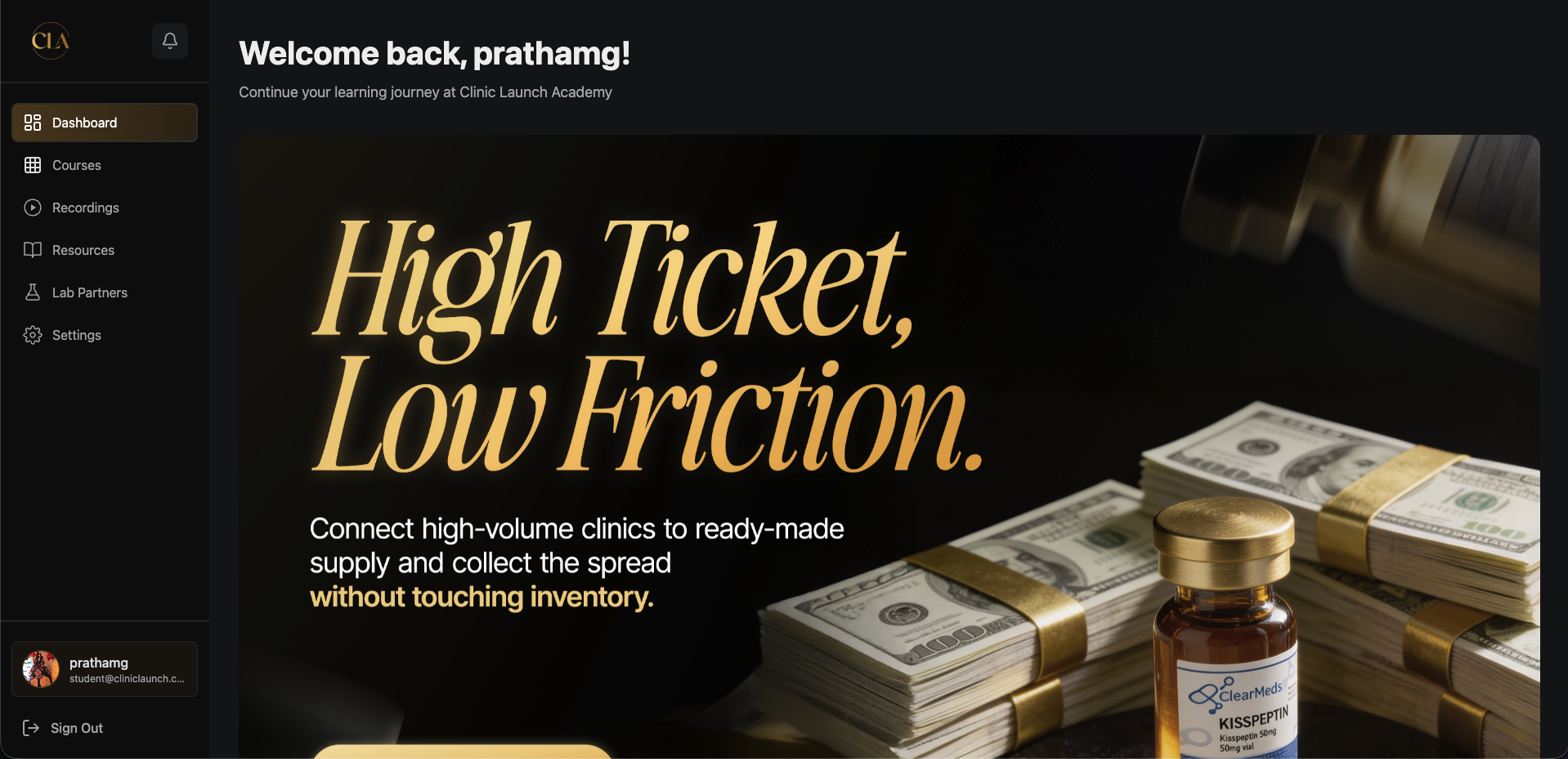
Student Dashboard
Students land on a personalised dashboard the moment they log in — active course banners, progress at a glance, and a clear path to continue where they left off. No clutter, no confusion.
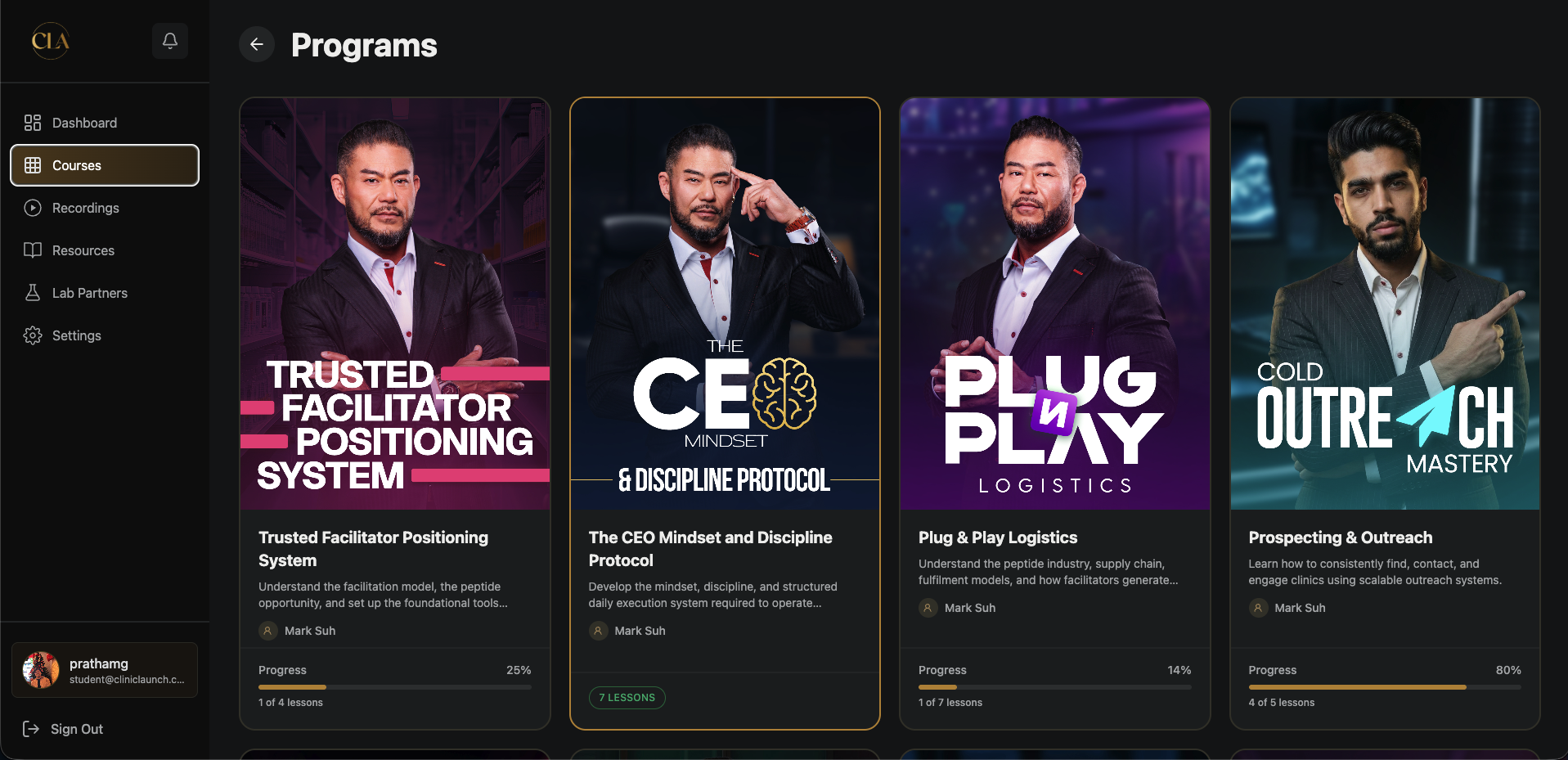
Course Library
Every purchased course shows up as a visual card with progress tracking. Students see exactly how far along they are before clicking in — driving completion and re-engagement.
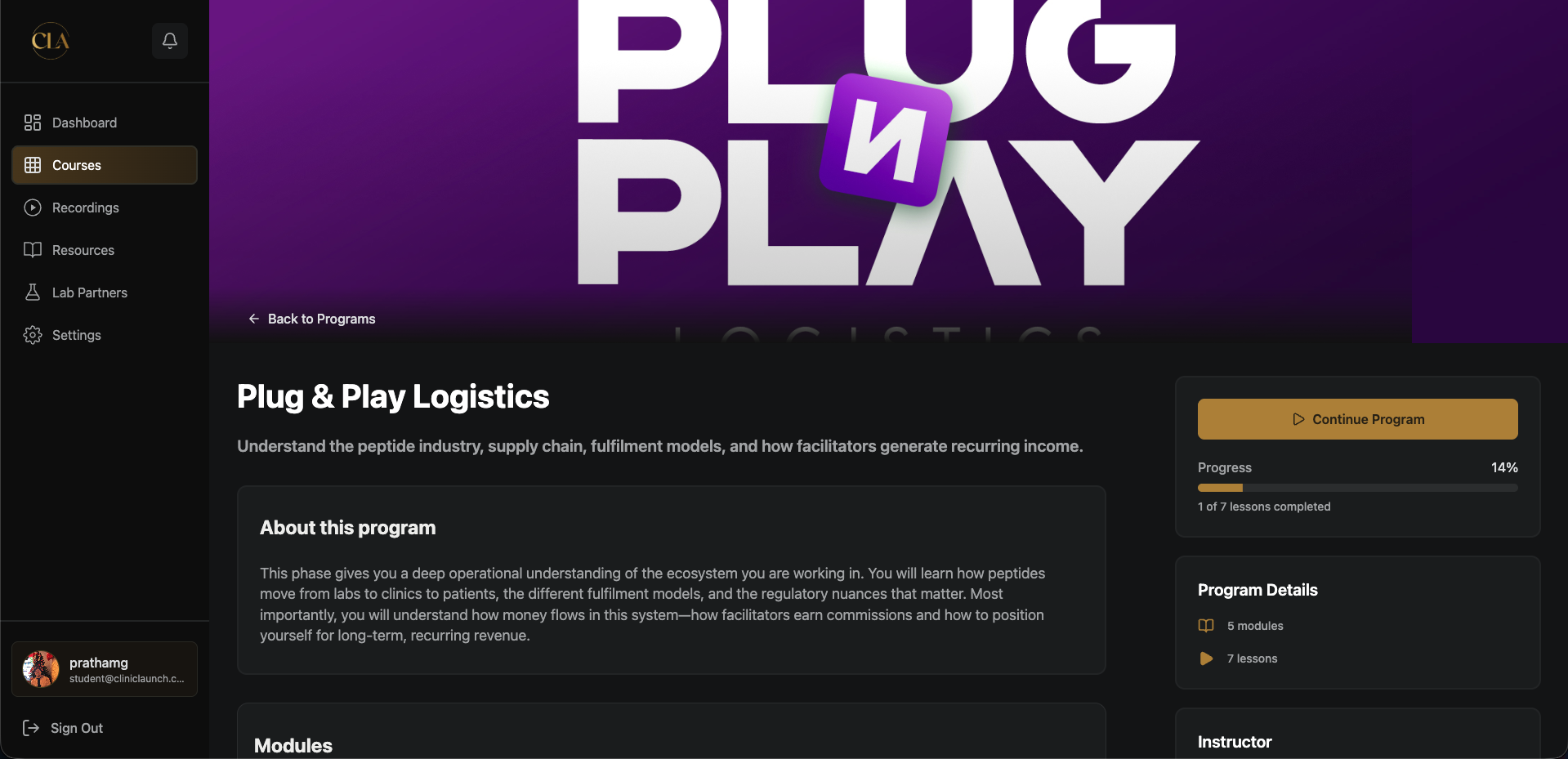
Course & Module Breakdown
Each course has a detailed overview page with the full module list, instructor bio, and a persistent progress bar. Students always know what's next and how close they are to finishing.
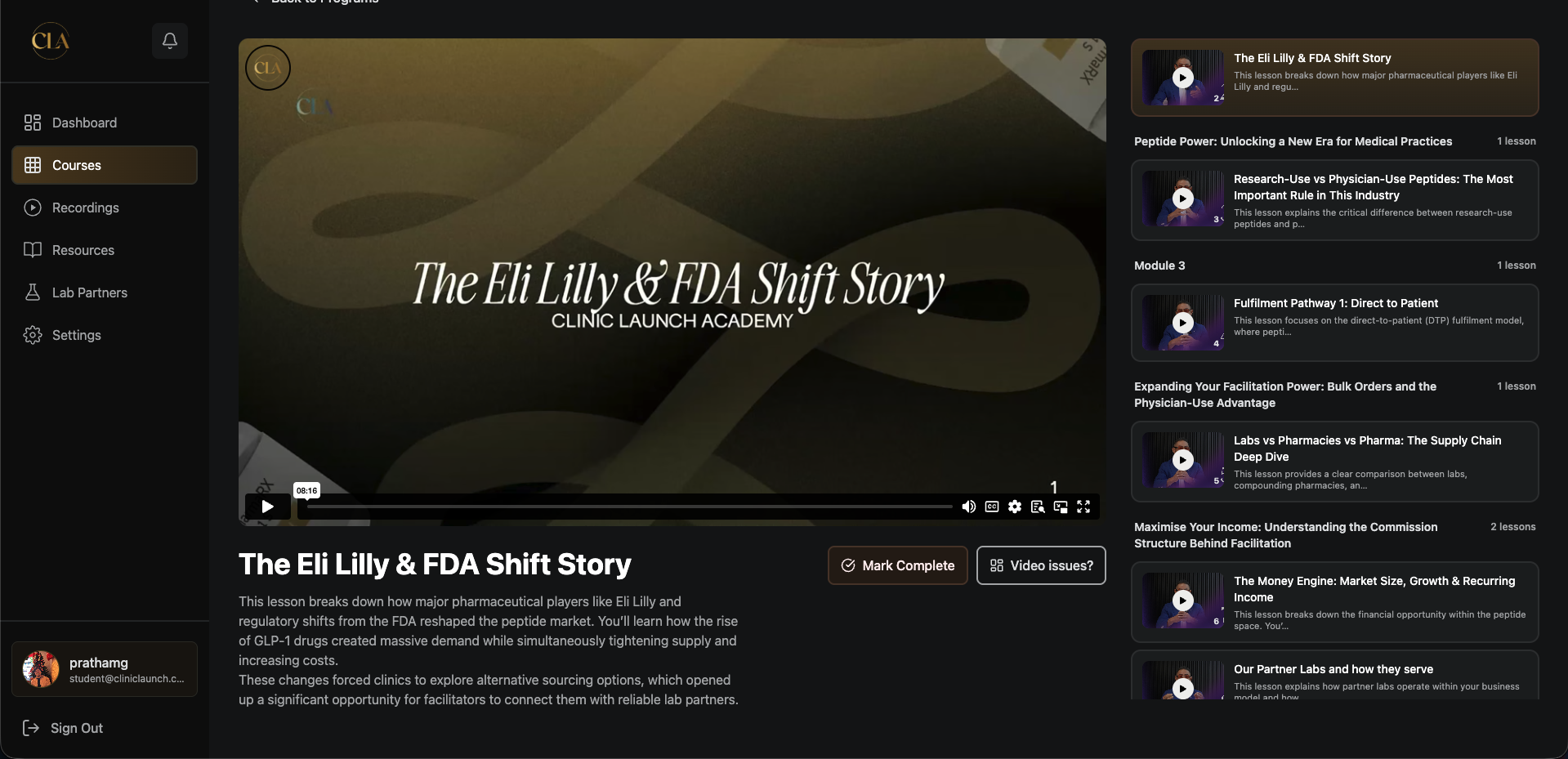
HLS Video Lesson Player
Lessons stream via HLS with a collapsible module sidebar — students can jump between lessons, mark completions, and flag video issues without leaving the player.
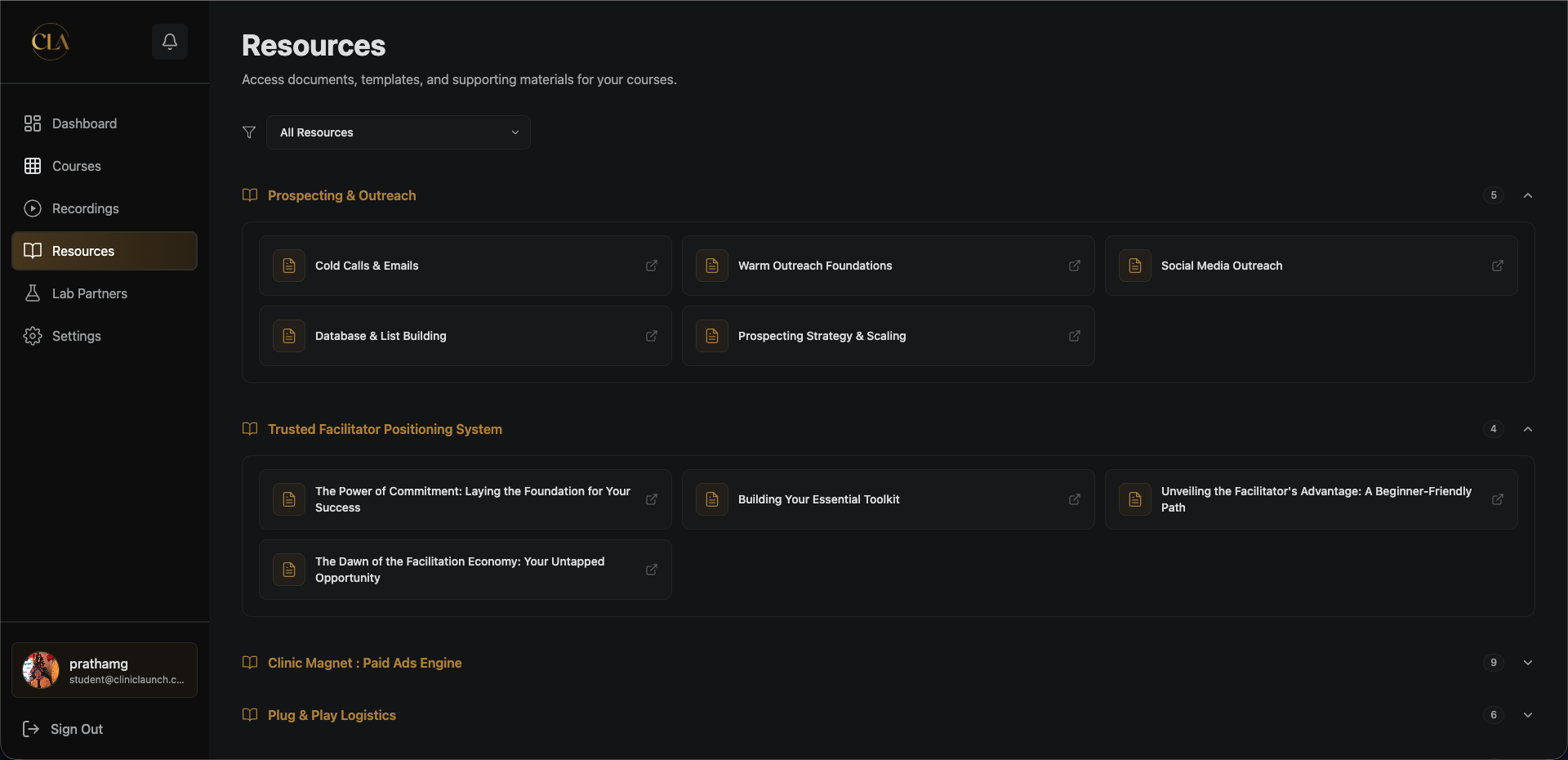
Resource Library
Every lesson can have PDFs, files, links, and videos attached. The resource library groups them by course so students can find supporting material without hunting through lessons.
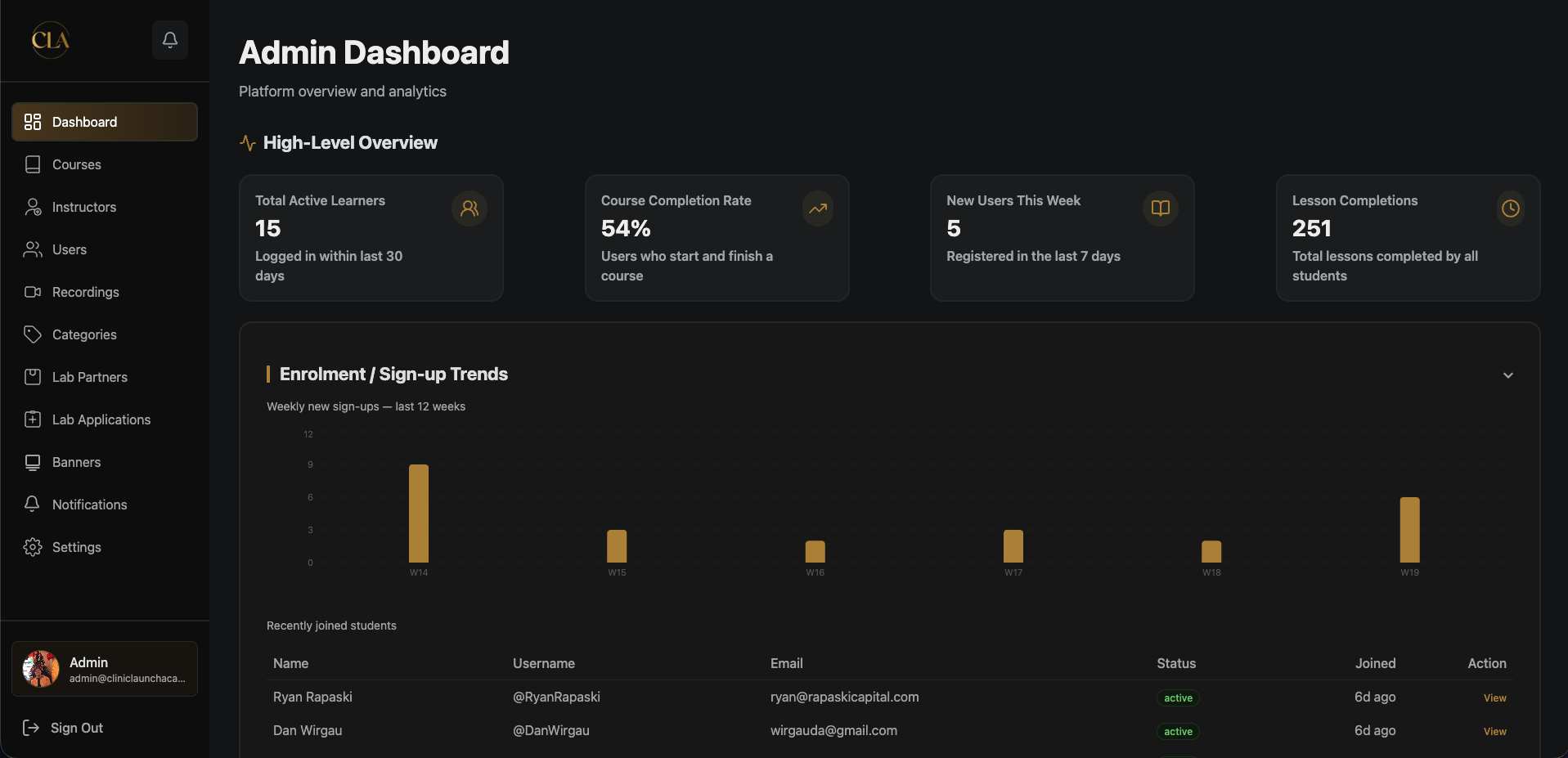
Admin Analytics Dashboard
Admins see live platform stats — active learners, course completion rate, weekly signups chart, and a list of recently joined students. At-risk learners are flagged automatically by inactivity.
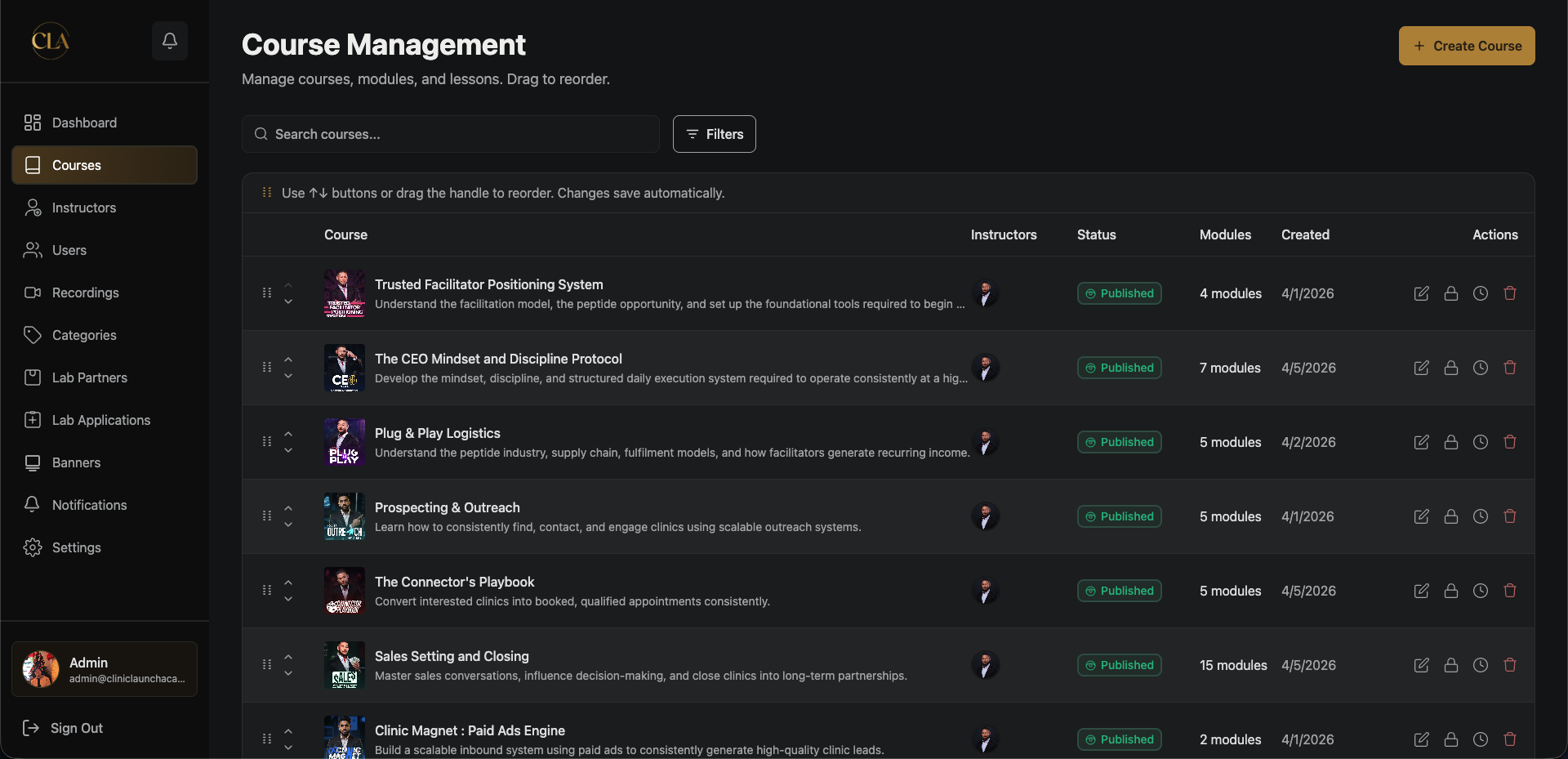
Course Builder
Admins build and manage the full course → module → lesson hierarchy in one place. Courses can be reordered by drag-and-drop, lessons can be scheduled for future release, and everything can be toggled between draft, published, and coming soon.
Full Feature Overview
Every feature built into the platform, at a glance.
Student Portal
HLS video streaming
Lessons play via HLS.js with adaptive bitrate — smooth playback on any connection
Lesson completion tracking
Each lesson is marked complete individually; overall course progress updates in real time
Video issue flagging
Students can flag a broken or problematic video directly from the player
Resource library
PDFs, files, links, and videos attached to lessons — grouped by course for easy discovery
Recordings library
Categorised embedded video sessions not tied to course enrollment — available to all students
Lab partner listings
Browse lab partners with portal URLs, apply via embedded GoHighLevel forms, and track application status
In-app notifications
Targeted or broadcast notifications with read/unread state and a notification centre
Discord community links
Managed community links surface the Discord invite directly in the student dashboard
Profile & photo upload
Students update personal info and upload a cropped profile photo (react-easy-crop)
Admin Panel
Drag-drop course builder
Course → Module → Lesson hierarchy editable in one panel; reorder by dragging
Scheduled lesson release
Set a future publish date per lesson — content unlocks automatically
Draft / Published / Coming Soon
Three content states per course or lesson; coming-soon banner shown to students automatically
User management
Create users, ban/unban, resend welcome credentials, manage whitelist, search and filter
Instructor directory
Manage instructor profiles with photo, bio, and social links shown on course pages
Analytics dashboard
Platform stats, weekly signup trends (line chart), popular courses (bar chart), activity heatmap, at-risk learners, per-user overview
Notification centre
Send to all users, a specific role, or individual students; schedule delivery; resend; cancel
Banner management
Upload and order promotional banners displayed on the student dashboard
Lab application review
Process GHL-submitted applications with approve/reject workflow and bulk status updates
Maintenance mode
Toggle instantly blocks all student API access with a custom message; admins bypass
System settings
Configure Discord invite URL, support email, and maintenance mode from a single settings panel
Integrations
GoHighLevel auto-provisioning
Webhook creates student accounts and sends welcome emails automatically when a GHL contact is added — zero manual admin work
GHL lab application ingestion
Lab partner form submissions from GHL flow directly into the platform's application review queue
Cloudinary asset pipeline
All uploads (thumbnails, banners, instructor photos, PDFs) stream to Cloudinary in 6MB chunks
Gmail SMTP emails
Welcome email, set-password email, and password reset token all sent via Nodemailer HTML templates
Tech Stack
